
A collection of pictures became a catalogue raisonné that feeds the gallery, search engines and recommendations.
For the artist Ralph D. Woop we recorded 98 works from the years 2012 to 2026 as data for the first time: with a permanent work number, core data, bilingual texts and a dedicated classification by motif, mood and composition.
This data model is the source of the gallery, 196 artwork pages in German and English, the structured data for search engines and AI systems, and recommendations for similar works that would not exist without this preparation.
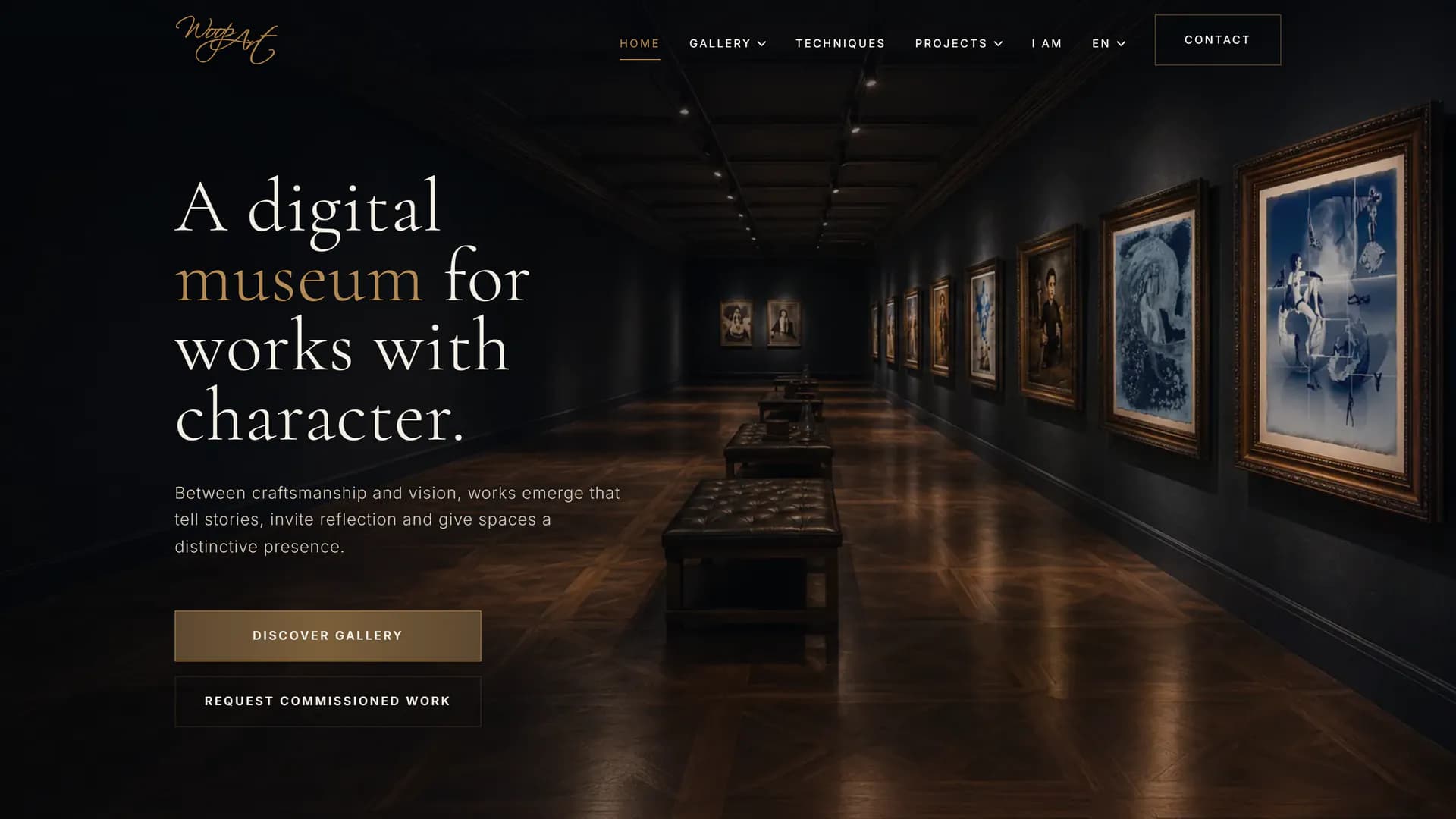
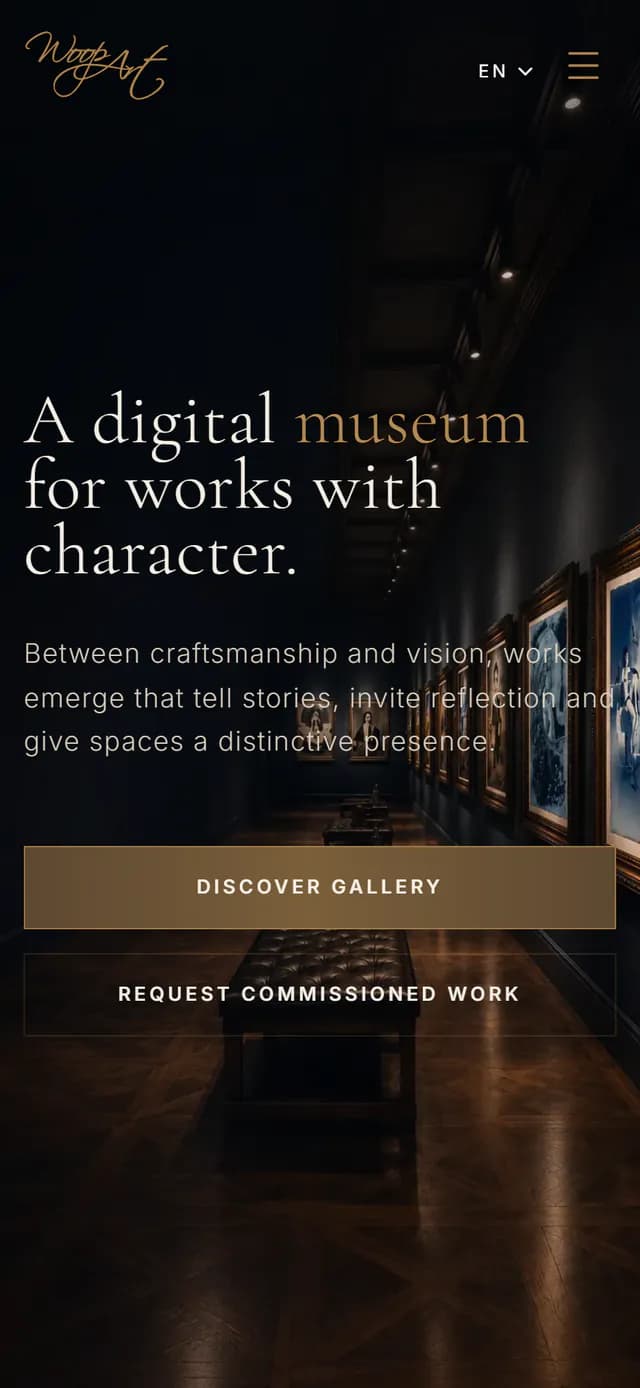
- Client
- Ralph D. Woop
- Industry
- Art, studio & gallery
- Languages
- German, English
- Status
- Live | under ongoing support
- Project period
- June – July 2026
- Project volume
- CHF 10,000–15,000
- Website
- woop-art.de
- Strategy & information architecture
- UX/UI design
- Bespoke web development
- Artwork data model & multilingualism
- SEO & structured data
- Consent management
- Hosting & technical support
The artworks, the artwork photography and the factual artwork details come from the artist.
Stuttgart, Germany
Managed from Alt St. Johann (CH‑SG), project location: Stuttgart.
A website for pictures, but not a catalogue raisonné
Ralph D. Woop's work comprises cyanotypes from 2012 to 2016 and pyrographs since 2017: portraits, sacred motifs, homages, commissions and series. Some works are available, others are reserved, in private collections or not for sale.
The first website was created more than ten years ago with a simple brief: the pictures were to be publicly visible quickly. It did that. The works appeared as image lists in two sections by technique, each with only its title and dimensions as a caption.
For anything beyond that, the foundation was missing. No work had its own address, the site existed only in German, and apart from the images, search engines found hardly anything they could make sense of. The contact form and visitor statistics had been switched off since 2021 because the site had no technical way to handle consent. And every new work meant a change to the code.
- 01record the body of work as data, with titles, texts, attributes and categories for each work
- 02become bilingual, right down to translated and approved artwork titles
- 03make every work individually findable for search engines and AI systems
- 04show the art in an exhibition atmosphere
- 05enable enquiries that match a work's availability
- 06take in new works without pages having to be developed for them
How does a collection of pictures become a body of work that people, search engines and AI systems can read equally well?
From picture to record
RDW-CYA-002… RDW-PYR-103
Consecutive across both techniques; the abbreviation indicates the technique.
The starting point was not design but an inventory. Each of the 98 works received a work number that runs consecutively across both techniques and is never reassigned, not even when a work is removed. Links and certificates that point to a number therefore remain valid.
Each number has a record: technique, year of creation, dimensions, format, orientation, availability and categories, recorded once and shared by both languages. Title, short and long description, material and alt text are maintained per language.
Where a detail is missing, the record marks it as deliberately left open, not as a forgotten field. The difference can be checked: if a translation is missing or a work number is mistyped, an automated check detects it, and the error never reaches production.
Project scope at a glance
One body of work, recorded once: the gallery, catalogue, artwork pages, structured data and recommendations all read from the same records.
One record, many outputs
Central artwork data
One record per work, shared by both languages
- Work number
- Image
- Technique
- Year
- Dimensions
- Availability
- Classification
Texts per language
German and English, for each work individually
- Title
- Description
- Material
- Alt text
Generated automatically
Generated for every work from artwork data and texts, checked and approved before publication
- Artwork page DE and EN
- Catalogue entry
- Gallery position
- Metadata
- Structured data
- Sitemap entry
- Similar works
- Work-number redirect
Central data management and automated checks
Each of the 98 artworks has a central record with a unique work number. The core data is used by both language versions, while titles, descriptions and other editorial texts are maintained per language.
From this data the application generates a total of 196 artwork pages, along with the corresponding catalogue entries, gallery positions, metadata and internal links.
If required translations are missing or the data contains invalid references, an automated check detects it, and the error never reaches production. The checks cover work numbers, translations and artwork-related references, among other things, on every change (push and pull request).
This way, data errors are detected before publication.
New works without new pages
A new work is a new record. Artwork pages in both languages, the catalogue entry, metadata, structured data, the sitemap entry and the recommendations are generated from it; nothing has to be developed for this. For each new work, the artist fills in an entry form with all the necessary details, and we add them in line with the data model as part of our ongoing support. No CMS is needed for this.
Every work with its own address, in two languages, for people and machines
Previously, individual works and their information could not be found. Human visitors could look at the works, but machines could hardly identify individual images and could not index the site meaningfully. Today each of the 98 works has two pages of its own, one German and one English, each with its own title, its own description and its own address.
For AI systems, the same applies as for search engines, only more strictly: content that is in the HTML without JavaScript, and unambiguously named things. Here, both are the foundation, not an add-on.
Translated, not just carried over
- German
/de/werkverzeichnis/knechtschaft- English
/en/catalogue/servitude
Bilingual means more here than a second interface. All 98 artwork titles were translated individually and approved by the artist, because a title is part of the work, not a label. Where a title is already in English or is a proper name, it stays as it is.
The addresses are translated too, not just their language code:
Canonical, hreflang and x-default tags connect both versions, and visitors switch between them without losing the work.
A catalogue built for machines first
The gallery loads its works progressively and draws the museum wall in the browser. For visitors, that is the right approach. A crawler that does not execute JavaScript would see hardly any of it.
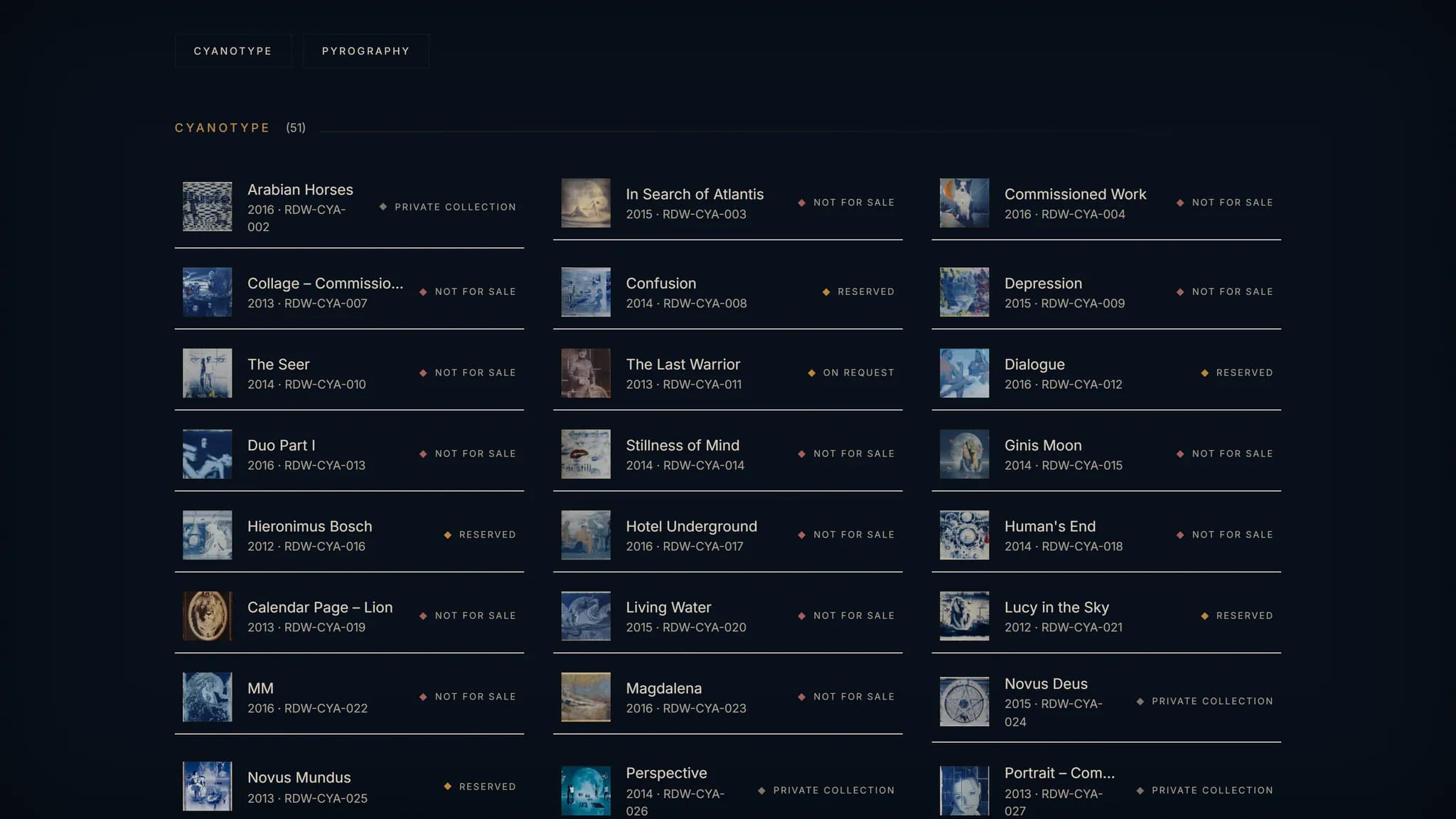
That is why there is the catalogue: all 98 works on one page, in the delivered HTML, each with a thumbnail, year, work number, availability and a link to its artwork page. It is built primarily for search engines and AI systems. For people, it is the quickest way to a specific work.
Structured data and sitemap
Woop Art uses six Schema.org types: Person, WebSite, BreadcrumbList, VisualArtwork, CollectionPage and CreativeWork. Artwork, artist and website carry fixed identifiers and refer to one another, so that a search engine or a language model recognises them as the same things.
All 98 works are marked up as VisualArtwork, with technique, material, work number and, where documented, dimensions.
The sitemap is generated from the current inventory and comprises 214 URLs, 196 of them artwork pages. Its modification date follows the content: a purely technical release does not report every page as changed.
Similar works: made possible by data enrichment
Some requirements and ideas only emerge during the process. We quickly incorporate changed or new requirements and priorities and respond to them. The recommendations are one such case: they were not on any requirements list. They became possible because the works were comparable once the data had been prepared.
To the artist's core data, meaning image, title, technique and year, a second layer was added for every work: motif, mood, colour palette, composition, series and whether it is an original or a homage. These characteristics did not exist anywhere before. They were developed from the images and are stored in fixed value lists, so that two works speak the same language.
A dedicated logic builds on this with eight weighted characteristics, and every artwork page suggests matching works and gives the reason.
Cross-selling without the selling
Anyone who lingers over a portrait finds more portraits; anyone who discovers a series finds its other parts. Visitors move through the collection following their own taste instead of returning to the list.
This matters especially for works that are not available: there, the recommendation leads to comparable works instead of the visit ending.
Two examples from woop-art.de
- Mona Lisa
- Pyrography, homage to da Vinci
- Jack Sparrow II | Motif: Portrait – Icon
- Amy Winehouse | Motif: Portrait – Icon
- Bowie | Motif: Portrait – Icon
- Elvis | Motif: Portrait – Icon
- Ruins
- Cyanotype, part of a series
- Ruins II | Series: Ruins
- Ruins – Study II | Series: Ruins
- New Age | Motif: Landscape & Architecture
- In Search of Atlantis
The first four suggestions on each artwork page, with the reason the page gives for them. Not every suggestion has a named reason; in that case, several smaller matches account for it.
How similarity is calculated
Eight characteristics with fixed weights: series 5, main motif 4, shared motifs 3, technique 2.5, composition 2, colour palette 1.5, mood 1.5 and the type of reference (original or homage) 1.
The calculation is based on what the work being viewed actually carries. A work without a series is therefore not at a disadvantage compared with one that has a series.
The result is deterministic: as long as the collection stays the same, every artwork page shows the same suggestions in the same order; in the event of a tie, the work number decides. When new works are added, the suggestions may change within the enlarged collection.
The classification is an asset in its own right: further ways into the collection could be built on it, such as themed rooms by motif or mood.
Do you have a collection that needs structure?
We review what you have and identify how it could be organised – before the design process begins.
An exhibition space in the browser
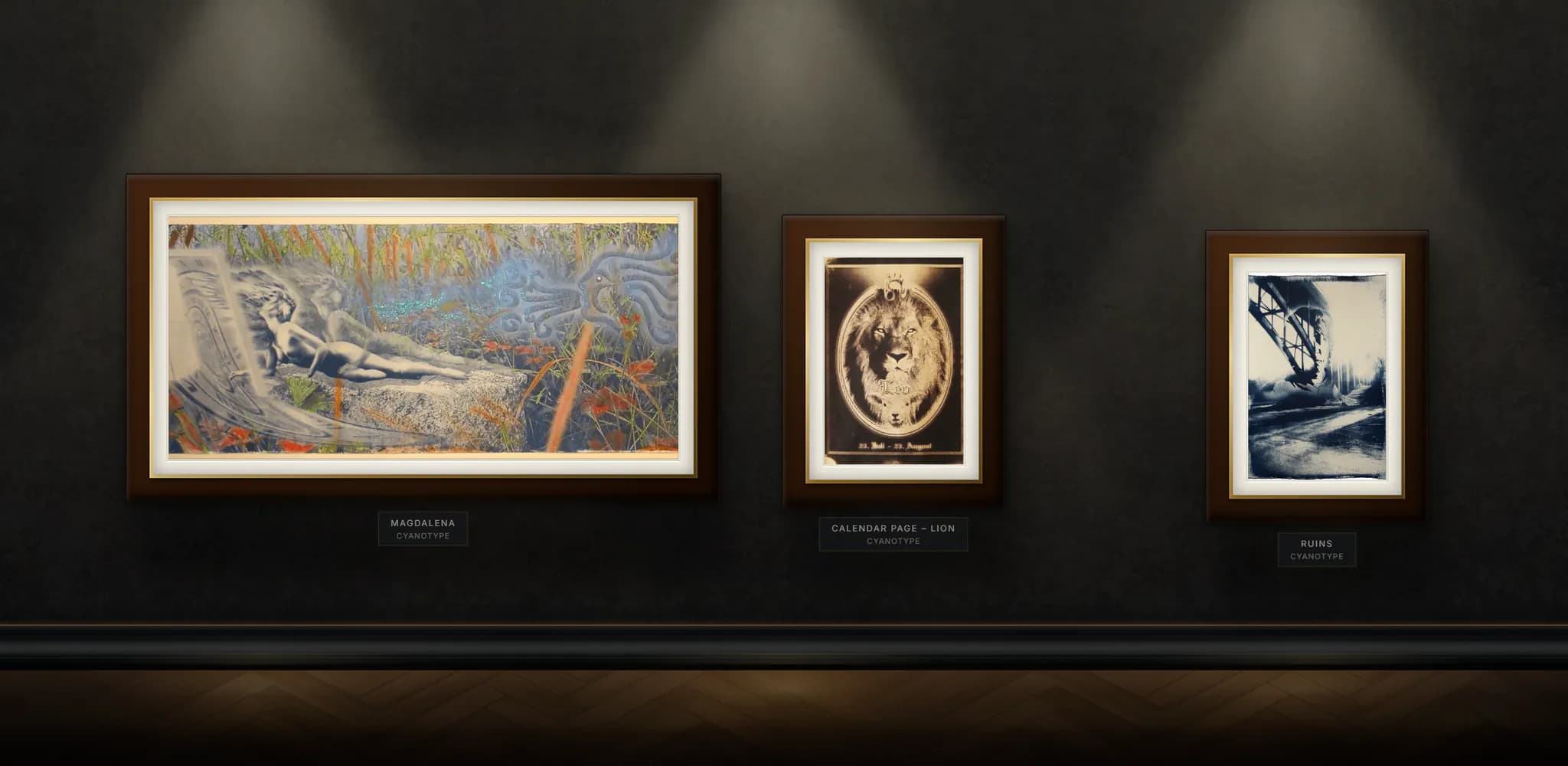
Not every visitor is looking for a specific work. For those who want to look around, there is the gallery: a museum wall that you move along sideways on desktop, with the works in their actual aspect ratios. On the phone, a dedicated vertical image arrangement leads through the same collection.
The design combines the atmosphere of a historic studio with the calm of a gallery space: midnight blue instead of white, gold for actions and labels, a light serif typeface for headings, and buttons without rounded corners, square-edged like a picture frame.
The gallery as a digital exhibition
The interactive gallery brings the atmosphere of an exhibition space into the browser. On larger screens, visitors move horizontally along a virtual museum wall.
The catalogue for targeted search
The artwork catalogue provides direct access to the entire collection. Visitors can go straight from any entry to its corresponding artwork page.
Desktop and mobile: two dedicated journeys

- Navigation
Desktop: horizontally along the museum wall
Mobile: vertical, with its own image arrangement
- Images
Desktop: in their actual proportions
Mobile: with adapted crops
- Design
Desktop: wall, floor, light and frames rendered in the browser
Mobile: the same visual language as on desktop
The design system
- #08111B#08111BPage backgroundtenant-rdw gradient
- #0B1B2A#0B1B2ACards, menus, dialogsrdw-bg-card
- #7A5E3A#7A5E3APrimary action (gradient)gradient-rdw-gold-button
- #B08A57#B08A57Accent: labels, linksrdw-gold-main
- #CBB28A#CBB28ALinks on hoverrdw-gold-soft
- #F3EEE6#F3EEE6Headingsrdw-text-primary
- #D8D0C4#D8D0C4Body textrdw-text-secondary
- #A9A39A#A9A39ASecondary textrdw-text-muted
In Search of Atlantis
Cormorant Garamond · Headings
Pyrography on wood, 60 × 40 cm
Inter · Body text
Catalogue
Inter · Labels
- 0px | Buttons, cards
- 4px | Dialogs, image tiles
- Page background
- Card with gold edge
Scaled down on this sheet: in the project the buttons are 56 px high, with 13 px type (outline 12 px). Focus: 2 px gold with a 4 px offset. Disabled: half opacity.
Catalogue
5.98:1Discover gallery
5.26:1Calculated according to WCAG 2.2 (relative luminance) from the project's colour values. Both pairs are above the 4.5:1 for normal text; in the glow of light at the top left of the page, the value for gold drops to 5.33:1. This is evidence for these colour pairs, not for the accessibility of the website as a whole.
An exhibition space created in the browser
The virtual museum wall is not a static background image. Wall, floor, skirting boards, lighting and picture frames are created in the browser – from gradients, shadows, light cones and selected material textures. The stage set is displayed on a drawing surface (canvas); the artworks remain independent, clickable elements in front of it.
This makes it possible to present artworks of different formats and frames within the same setting. A dedicated layout logic takes their actual proportions into account and arranges them into balanced rows.
The mobile view also uses its own image arrangement and adapted crops.
Select a layer to highlight it
Wall
01 / 06The surface behind everything else.
Floor
02 / 06The surface below; it gives the space its depth.
Skirting board
03 / 06The edge where the wall meets the floor.
Lighting
04 / 06Light and shadow above the artworks.
Picture frame
05 / 06The frame is adapted to the artwork's format and medium.
Artwork
06 / 06Remains a separate, clickable element in front of the canvas.
Schematic illustration, not a screenshot, Gradients, Shadows, Spotlights, Material textures
Two creative periods, one collection
The works divide along the artist's biography: cyanotypes up to 2016, pyrographs since 2017. The old website separated them into two sections, and sorted by year, 47 pyrographs would have come before the first cyanotype.
The order is therefore curated, but only at the beginning: ten works chosen by the artist open the gallery, after which the techniques alternate automatically. Because new works today are exclusively pyrographs, the balance takes care of itself this way. A manually maintained list would tip out of balance again with every new work.
All the details of a work and an enquiry path that matches its availability
Every artwork has its own detail page that combines the visual presentation with the corresponding details.
Depending on the work, these include title, year, technique, material, dimensions, work number, availability and background information.
Visitors can move between works, discover related pieces or send an enquiry directly.
- 01
Artwork catalogue
The visitor explores the collection, with thumbnails, work numbers and availability.
- 02
Individual artwork page
They read the complete artwork details and background information about the work.
- 03
Direct enquiry
They get in touch – the work number and type of enquiry are already filled in.
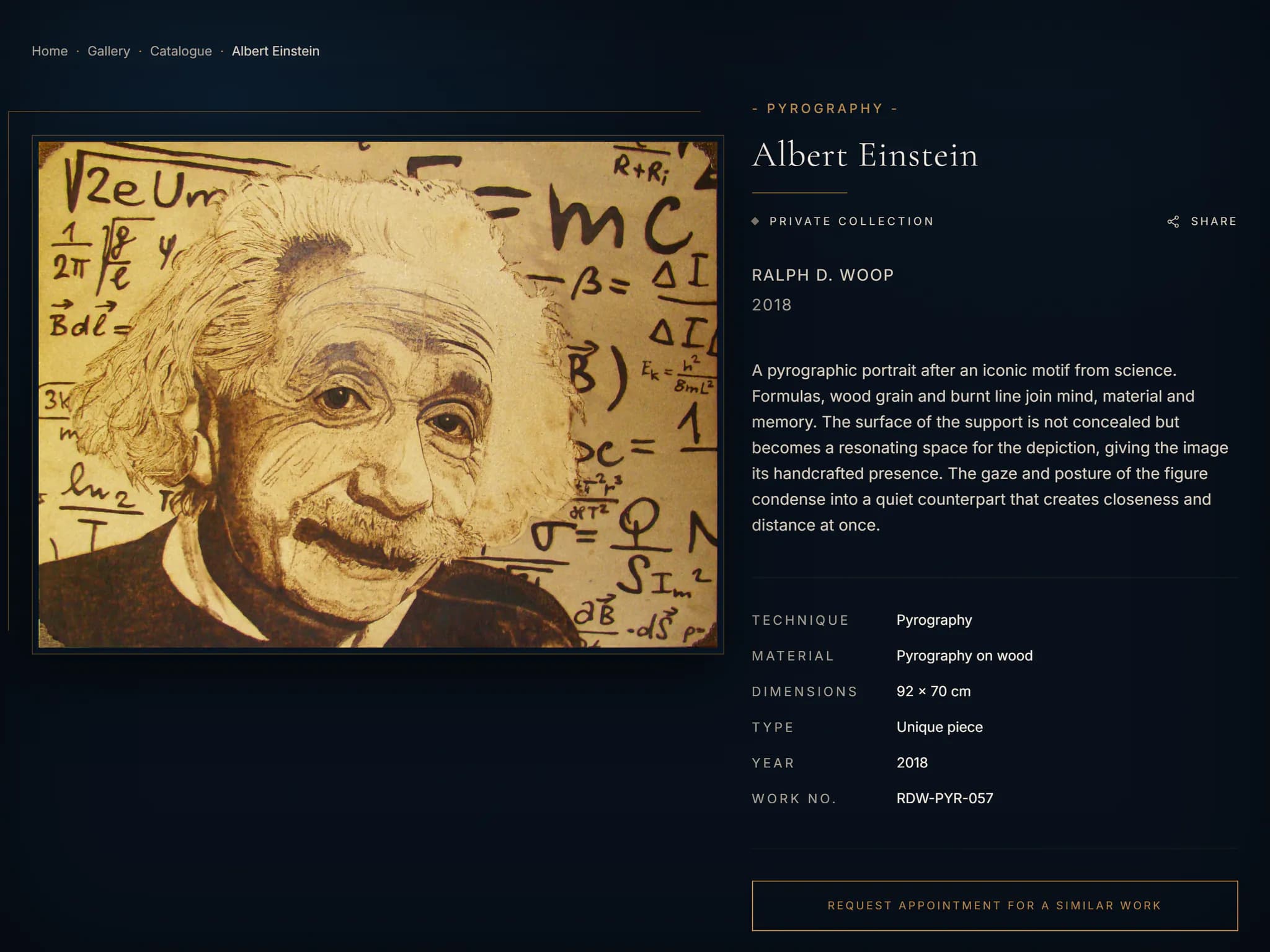
The artwork page combines a large image with structured details and a direct way to get in touch.
More than half of the works are not available: 57 of 98 are in private collections or not for sale. A buy button would be a dead end there. The enquiry path therefore depends on the status of the work.
Five availabilities, two paths- Inquire about this work
- The enquiry concerns exactly this work. The work number and type of enquiry are already filled in; nobody has to describe the work in the form.
- Available
- On request
- Reserved
- Request appointment for a similar work
- If a work is spoken for, the visitor asks about a comparable one. The work being viewed is sent along as a reference.
- Private collection
- Not for sale
Both paths arrive by email, with the artwork title, work number and type of enquiry in the subject line.
Custom-built and supported for the long term
Woop Art was developed as a custom web application and deployed as a standalone container. This allows it to run independently of any particular website platform and, if necessary, be transferred to another suitable hosting infrastructure.
After launch, we continue to provide technical support: application maintenance, controlled releases and ongoing development of the components used. Data protection, accessibility and long-term operation were taken into account from the outset.
Operations at a glance
- 01ApplicationNext.js, React, TypeScript
- 02DeliveryVersioned container image, built in stages
- 03ChecksAutomated type and build checks
- 04PackagesPrivate package registry
- 05DeploymentControlled, with a way back to a previous version
- 06EmailAmazon SES for contact enquiries
Consent
On the old website, the contact form and visitor statistics were switched off because the site had no technical way to handle consent. Today Woop Art uses our own consent management: analytics services only load after consent is given, every decision is logged with its version and timestamp, and visitors can change it at any time.
Evidence
Accessibility beyond the visual design
The website accommodates different needs and ways of using it. This includes support for assistive technologies, adapting motion animations to the system's reduced-motion setting, and allowing users to enlarge content on mobile devices.
Development also took into account semantic HTML, bilingual screenreader text, alternative text for the artworks and accessible form labels.
The artwork catalogue and individual artwork pages can also be navigated without JavaScript.
Development, deployment and technical maintenance
The application is developed in its own repository and delivered as a versioned container image.
The application-specific source code is managed separately from Woop Technology's reusable components.
This makes it possible to provide a complete snapshot of the application's source code without including components from other client projects.
A body of work as data, and everything visible is generated from it
Today the body of work exists as data, and everything visible is generated from it: the gallery, the catalogue, 196 artwork pages in two languages, the structured data and the recommendations. New works are added as a record, not as a new page.
From initial objectives to results
- Body of work as data
- 98 works with a permanent work number, core data and classification.
- Bilingualism
- All artwork titles and texts in German and English, right down to the addresses.
- Findability
- One page per work and language, a catalogue in the HTML, 98 works marked up as VisualArtwork.
- Exhibition atmosphere
- A gallery with a virtual museum wall and its own design system.
- Enquiries
- One enquiry path per availability, with the work number already filled in.
- Extensibility
- A new work is a record; pages, links and metadata are generated from it.
- Added along the way: recommendations
- Similar works with a reason, based on the classification developed during the project.
Performance
Accessibility
Best Practices
SEO
The values come from a Lighthouse desktop measurement on 7 August 2026 and refer to the page tested at the time of measurement. The accessibility score is based on automated checks and does not constitute full proof of WCAG conformance.
It was important to me to present all my artworks in one place - a digital one in this case - alongside physical exhibitions, and in a fitting setting. The digital gallery conveys the atmosphere of an exhibition space just as I would wish it to be.
With the new website I can present and manage my artworks clearly. I particularly like that every work has its own place and that new pieces slot easily into the existing collection.
When my website was being built, it mattered to me that the design suits my works and became a digital gallery with the atmosphere to match - one in which I can present my work in my own way.
The wonderful personal collaboration now shows in the result of your work.
Translated from German — Show the original
Mir war wichtig, alle meine Kunstwerke an einem - in diesem Fall digitalen - Ort, zusätzlich zu physischen Ausstellungen, in einer passenden Umgebung zu präsentieren. Die digitale Galerie vermittelt die Atmosphäre eines Ausstellungsraums, wie ich ihn mir wünschen würde.
Mit der neuen Website kann ich meine Kunstwerke übersichtlich präsentieren und verwalten. Besonders gefällt mir, dass jedes Werk seinen eigenen Platz hat und sich neue Arbeiten einfach in die bestehende Sammlung integrieren lassen.
Bei der Entwicklung meiner Website war es mir wichtig, dass die Gestaltung zu meinen Werken passt und in eine entsprechend atmosphärische, digitale Galerie umgesetzt wurde, mit der ich meine Arbeiten auf meine eigene Weise präsentieren kann.
Die wunderbare persönliche Zusammenarbeit zeigt sich nun im Ergebnis eurer Arbeit.
- Web Design & RelaunchGallery, Artwork catalogue, Artwork pages
- Branding & UX/UI DesignUser journeys, Image arrangement, Visual language
- Web Development, Platforms & IntegrationsArtwork data, Artwork pages, Recommendations
- SEO, GEO & Performance214 URLs, Structured data, hreflang
- Hosting, Maintenance & InfrastructureContainer image, Deployment, Technical support
- Data Protection & Consent ManagementConsent, Analytics
Planning a bespoke digital solution?
Whether a platform, web application or complex website: we help you translate your requirements into a well-thought-out solution that can be operated over the long term.